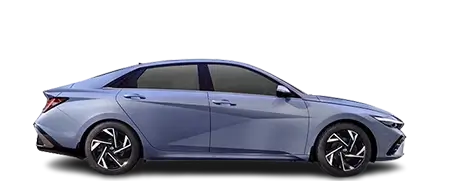
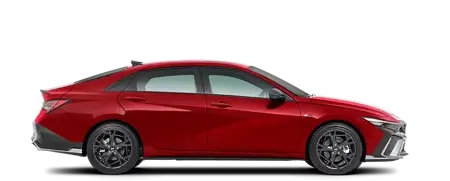
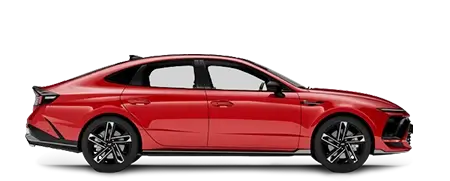
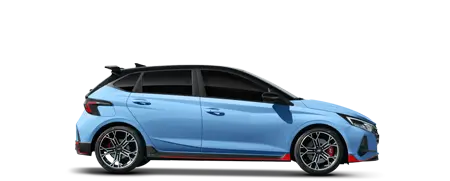
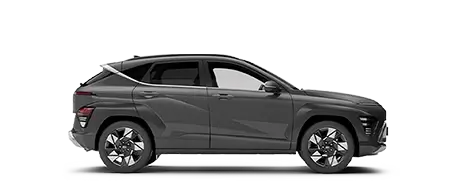
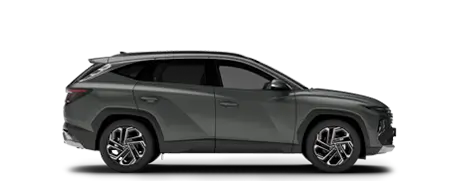
Personalised by you for your Hyundai*.
With the Hyundai Bluelink*™ app[P1] you can personalise all your driving and lifestyle settings for next level convenience.
Bluelink*™ compatibility.
The Bluelink*™ app[P1] is free to download from the Apple store or Google Play store, and the Bluelink connection/Bluelink Services are free for the first 5 years of new Hyundai ownership.
Compatible device.
For list of compatible devices see https://www.hyundai.com/au/en/bluelink/bluelink-faqs-and-app-questions. Hyundai cannot fully guarantee compatibility of your device with Bluelink® and we recommend checking functionality of your device when connected to your vehicle.
Complimentary Period.
Ends 5 years from date of first registration. Where an eligible vehicle sold from 1st June 2025 meets the necessary Hyundai dealer servicing conditions for the 7-year Extended New Car Warranty, the complimentary Bluelink subscription is also extended to seven (7) years. Subscription fees and charges may apply thereafter.
Feature support.
Feature support varies by vehicle model and variant.
Stolen vehicle/immobilisation.
Driver-assist feature only. Vehicle must have a working electrical system, including adequate battery power and mobile network coverage to operate. Owner required to obtain Police report. Vehicle location information, if available, only provided to Police. Vehicle recovery not guaranteed. Hyundai cannot guarantee responses from emergency providers. Not available if Bluelink® services are disabled or terminated.
Disclaimers.
Bluelink® is a registered trademark of Hyundai Motor Company.
*Bluelink® is complimentary for five (5) years from the date of first registration of a new Bluelink-enabled vehicle. Where an eligible vehicle meets the necessary Hyundai dealer servicing conditions for the 7-year Extended New Car Warranty, the complimentary Bluelink® subscription is also extended to seven (7) years. Subscription fees may apply thereafter. Driver-assist feature only. Only operate in accordance with local road rules and in safe conditions. Requires Bluelink® to be activated, a compatible device & app installation, third-party info, mobile data, network reception and GPS signal to operate. Mobile usage at the user’s cost. Not available in areas not covered by the Optus 4G/LTE network in Australia, or if services are disabled or terminated. Features and apps are subject to change. For details, see hyundai.com/au/en/owning/bluelink and view the Bluelink Manual.
[P1] Active Bluelink® subscription and Bluelink® equipped vehicle with capabilities required.
[P2] Only operate in accordance with local road rules and in safe conditions. Available only on Bluelink® connected vehicles with automatic transmission.
[P3] Apple CarPlay® requires phone with compatible version of Apple iOS and active data service. Apple® and other third parties are responsible for their respective functionality. Apple CarPlay®, Apple® and iPhone® are registered trademarks of Apple Inc.
[P4] Android Auto™ requires a device with compatible version of Android® and active data service. Google and other third parties are responsible for their respective functionality. Android Auto™ is a trademark of Google LLC.
[P5] Driver-assist feature only. Only operates if airbag deployment is detected in vehicle. Vehicle must have a working electrical system, including adequate battery power and mobile network coverage to operate. Emergency services at user’s cost. Hyundai cannot guarantee responses from emergency providers. Not available if Bluelink® services are disabled or terminated.
[P6] Driver-assist feature only. Only operates if SOS button is pressed. Vehicle must have a working electrical system, including adequate battery power and mobile network coverage to operate. Emergency services at user’s cost. Hyundai cannot guarantee responses from emergency providers. Not available if Bluelink® services are disabled or terminated.
[P7] Applicable to internal combustion engine vehicles only.
[P8] Range estimate derived from test conditions. Actual range may differ and depends on driving style and conditions.
[P9] Electric vehicle charge scheduling requires access to a charging station and is subject to certain charger specifications, performance and further conditions. Consult with your Hyundai dealer for further details.
[P10] The Hyundai Digital Key 2 feature requires a compatible mobile device, Bluelink® app installation and an active Bluelink® subscription. Features, app and specifications are subject to change. Hyundai Digital Key 2 and Digital Key 2 Touch can be shared via the Wallet app (Apple Wallet, Google Wallet and Samsung Wallet) on your mobile device. Shared keys can only be used on devices that are compatible with Hyundai Digital Key. Convenience aid only. Not intended as a permanent key replacement.
[P11] Automatic Collision Notification is a driver-assist feature only. Only operates if airbag deployment is detected in vehicle. Vehicle must have a working electrical system, including adequate battery power and mobile network coverage to operate. Emergency services at user’s cost. Hyundai cannot guarantee responses from emergency providers. Not available if Bluelink® services are disabled or terminated.
[P12] Automatic Call Services are a driver-assist feature only. Only operates if SOS button is pressed. Vehicle must have a working electrical system, including adequate battery power and mobile network coverage, for the feature to operate. Emergency services at user’s cost. Hyundai cannot guarantee responses from emergency providers. Not available if Bluelink® services are disabled or terminated.